

Let shoppers find reviewers like them
Attributes adds quick questions to your review form, like skin type or effectiveness, then shows the answers on every review and lets shoppers filter by them.
- Pick the questionsStart from a ready-made set or write your own.
- Buyers answerA few quick questions inside the review form.
- Answers show upOn each review and as averages at the top.
- Shoppers filterReviews narrow to the shoppers most like them.
Ready-made question sets
Start from the Attribute library with sets for general, apparel, beauty and home stores. Add one question or the whole set.
- Beauty covers skin type, shade match, wear time and scent
- Apparel covers fit, quality, comfort and style
- Customize any question before you add it
Any question in six styles
Rating scales, spectrums and yes or no questions about the product, or single choice, multiple choice and dropdowns about the customer.
- A live preview of how it looks in the review form
- Make any question required or optional
- Feature one rating or spectrum average at the top of your reviews
Every answer in one view
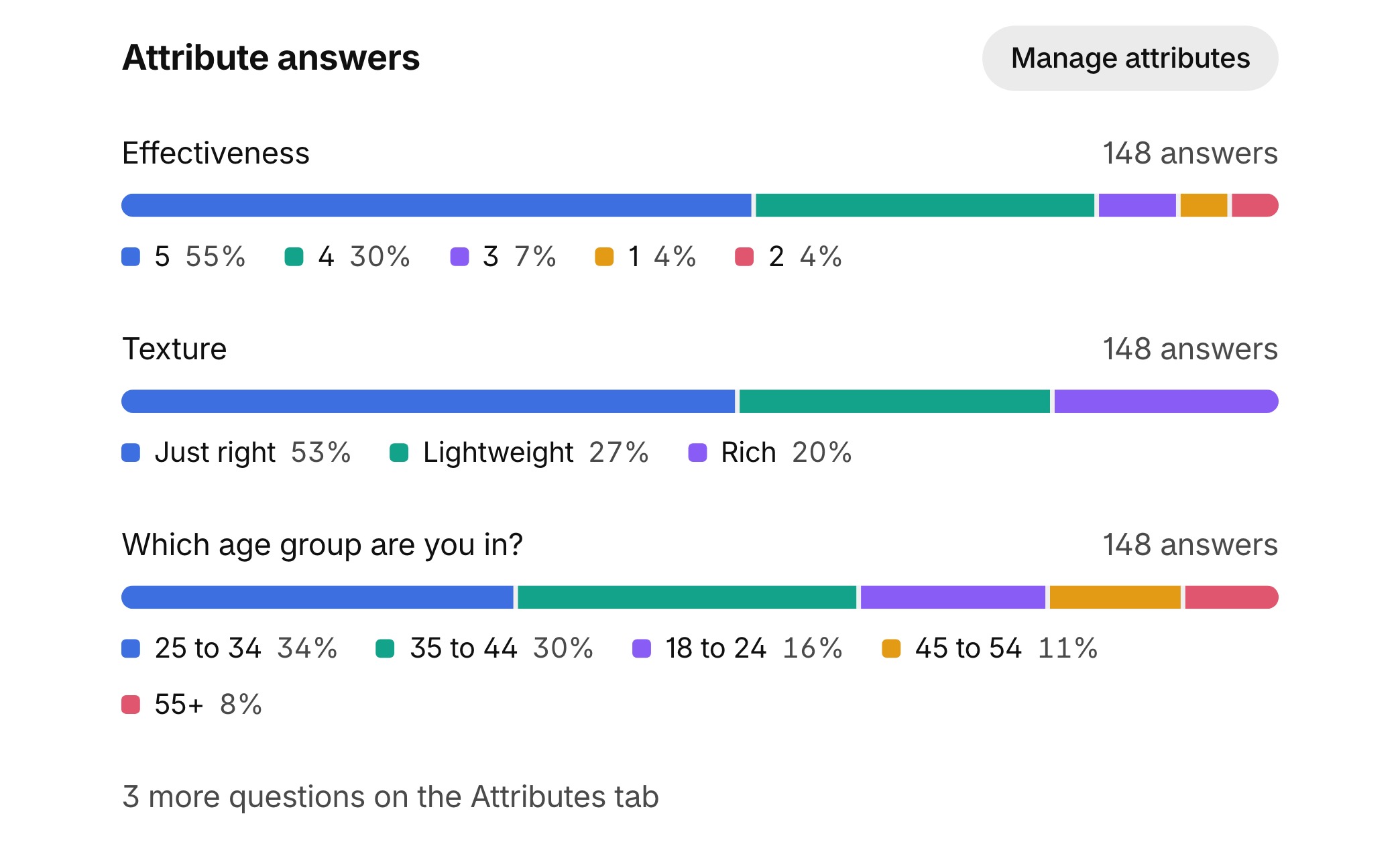
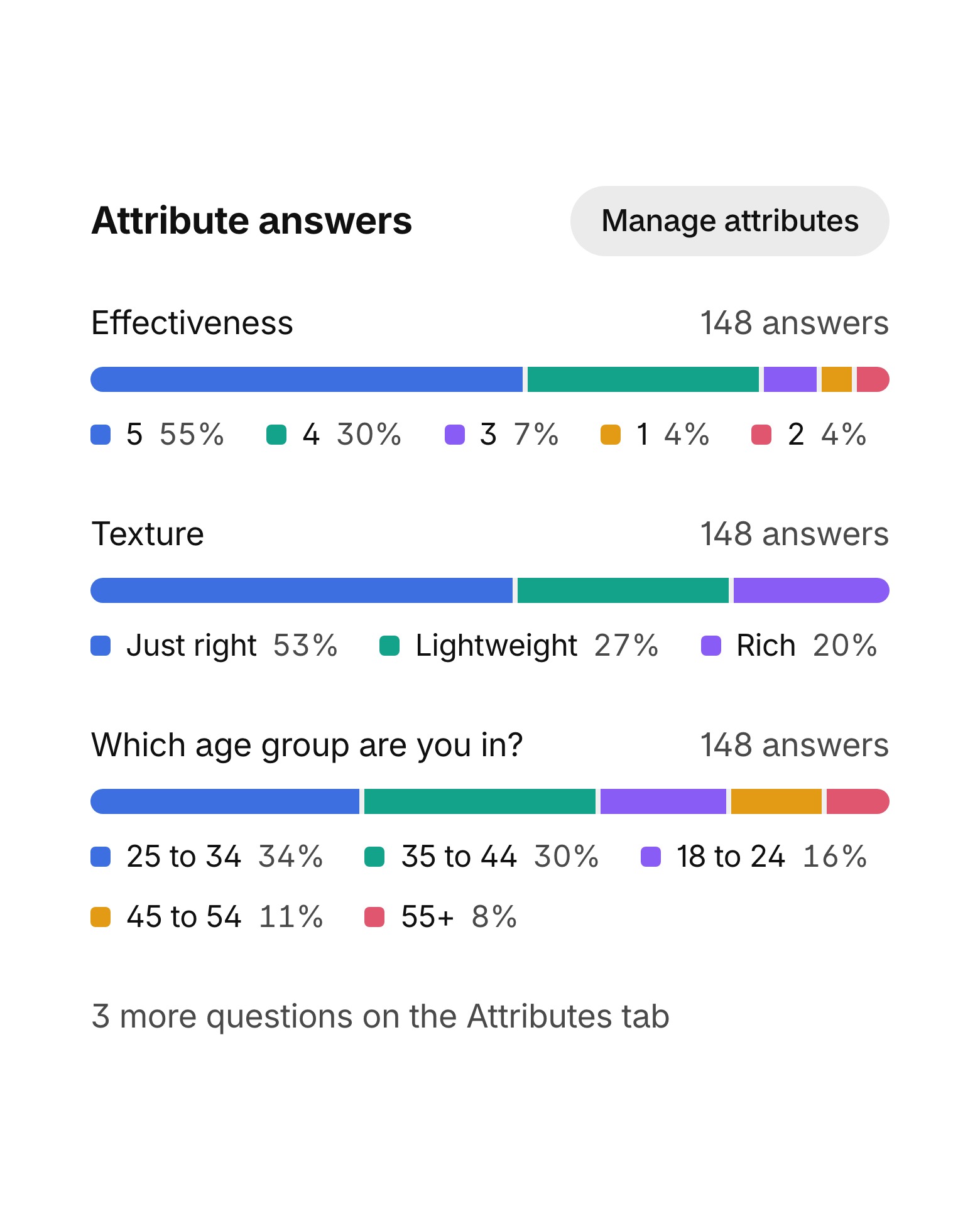
Analytics shows how customers answered your questions in any period, like skin type or effectiveness, next to ratings and sentiment.
- Every answer stacked by question
- A would recommend rate from your yes or no questions
- The QI attributes scan totals every answer on Advanced and Unlimited
Everything else in Attributes
The details that make every answer easy to trust.
Filters on the product page
Shoppers filter reviews by an answer such as skin type or age group.
Answers on every review
Customer answers sit under the reviewer's name and product answers beside the review.
Would recommend
Yes or no answers become a would recommend percentage at the top.
In more widgets
Answers also show in the Grid widget and the Spotlight and Big quote carousels.
Imports keep answers
Map answer columns when you import a CSV, or create an attribute from one.
On every plan
Attributes are part of every plan, including the free forever plan.
 |Fragrance
Celebrity fragrance built on social proof
Questions about Attributes
What kinds of questions can I ask?
Six styles: rating scales, spectrums and yes or no questions about the product, and single choice, multiple choice and dropdown questions about the customer.
Do all products get the same questions?
Yes. Every question you switch on appears in the review form for all products, and any of them can stay optional.
Can shoppers filter reviews by answers?
Yes. Choice questions like skin type or age group become filters on the product page, and shoppers see how many reviews match.
Can I make a question required?
Yes. Mark any question as required, or leave it optional so buyers can skip it.
Do imported reviews keep their answers?
Yes. When you import a CSV you can map its answer columns to your attributes, or create a new attribute from a column.
Which plans include Attributes?
Attributes are on every plan, including the free forever plan. The QI attributes scan comes with the Advanced and Unlimited plans.
See Quoli on your store
Start on the free forever plan or book a demo with a product expert.